Family Life
Skillet

Why I built this
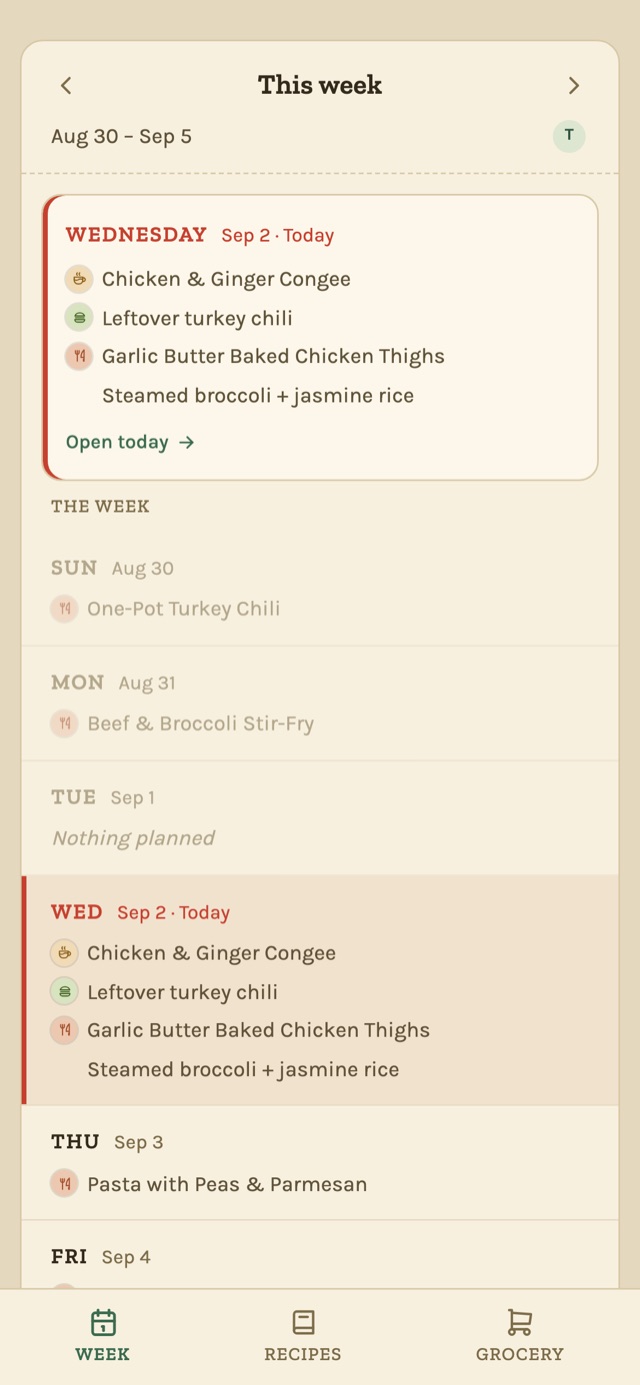
My husband and I have planned the week’s meals together since the pandemic. It started in a notebook: on the weekend we’d sit down, work out what we were cooking each night, and write it down. The sitting-down part still works. Remembering what we decided by midweek is where it falls apart - at least for me.
We both work, and what we can realistically cook on a given night comes down to how late our meetings run - my husband often goes past 5pm because his team is in Asia. Deciding ahead of time lets us divide up prep and keeps us from signing up for more than we can chew on a weeknight. With a toddler it matters even more: a little planning gives us a much better shot at putting something on the table that she’ll actually eat.
So I built Skillet - a shared space where we plan the week together, keep our recipes in one place, and turn that plan into a grocery list. The same weekend ritual, just somewhere the plan doesn’t evaporate by Wednesday.
What it does
- Weekly plan - breakfast, lunch, and dinner for every day, though dinner’s the one that actually needs the planning. Deliberately basic for now: I wanted planning in the app to take seconds, not become its own chore.
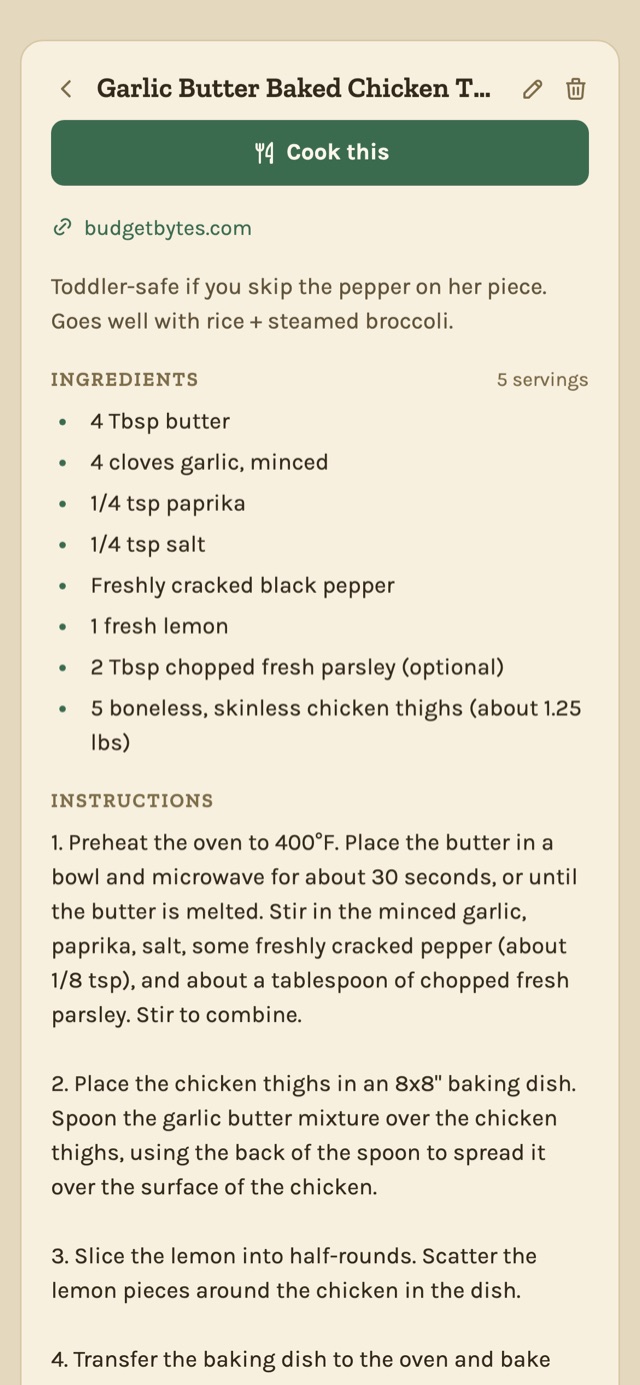
- Recipe library - paste a recipe URL and Skillet pulls in the ingredients and steps, formatted the same way every time. Makes it easy for my husband and me to share recipes back and forth.
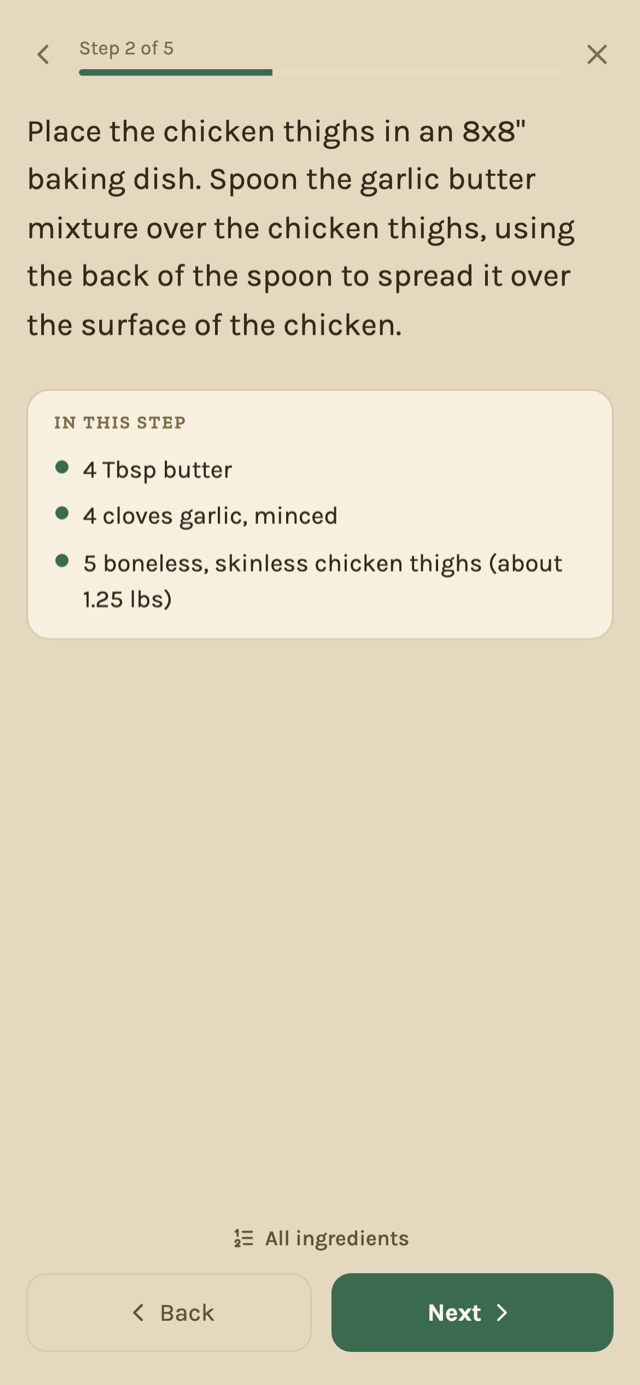
- Cooking mode - a step-by-step view that zooms into one instruction at a time, with the exact ingredient amount for that step. If an ingredient is split across two steps, you won’t dump it all in at the first one.
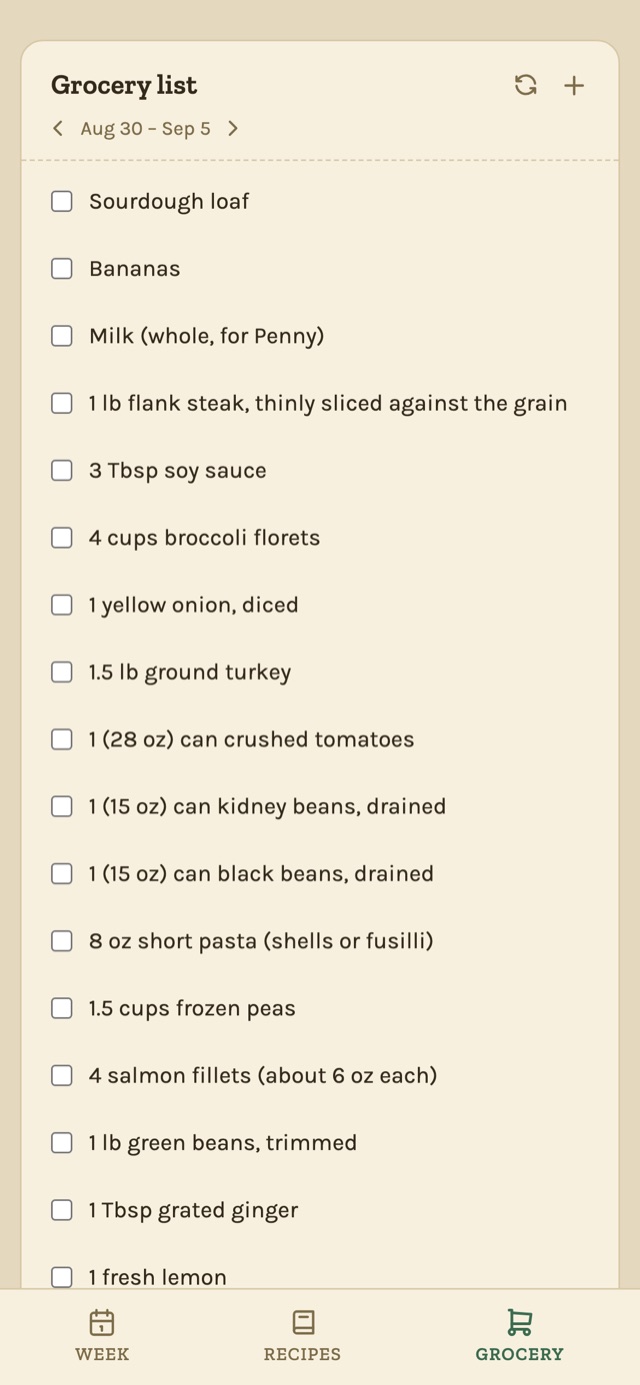
- Grocery list - add items by hand, or build it from the recipes you’ve planned this week. Anything you don’t buy rolls over to the next week.
- Shared with your household - invite the people you live with, and everyone can see and add to the same plan, recipes, and list.
Screenshots
How I built it
It’s a PWA rather than a native app - I wanted to move fast and have it work everywhere: phones for grocery runs, desktop for Sunday planning. Supabase handles accounts, storage, and live sync across devices; it’s deployed on Vercel.
The recipe importer taught me the most. Instead of scraping pages, it reads the structured recipe data sites already publish - which works for most independent blogs, but not the big publishers that block automated traffic. Rather than route around that with a proxy service, I built a bookmarklet that grabs the recipe from my own browser. The full story - and where I decided not to go - is in What I learned bringing recipes into Skillet.
Try it
Skillet is in beta at skillet.mamabuilds.dev - I use it every week and it’s still growing, so expect rough edges. Sign in with Google, then invite your household members by email so everyone can contribute. On mobile, add it to your home screen - an installed PWA stays signed in between planning sessions, where a plain browser tab tends to log you out.